Say it your way
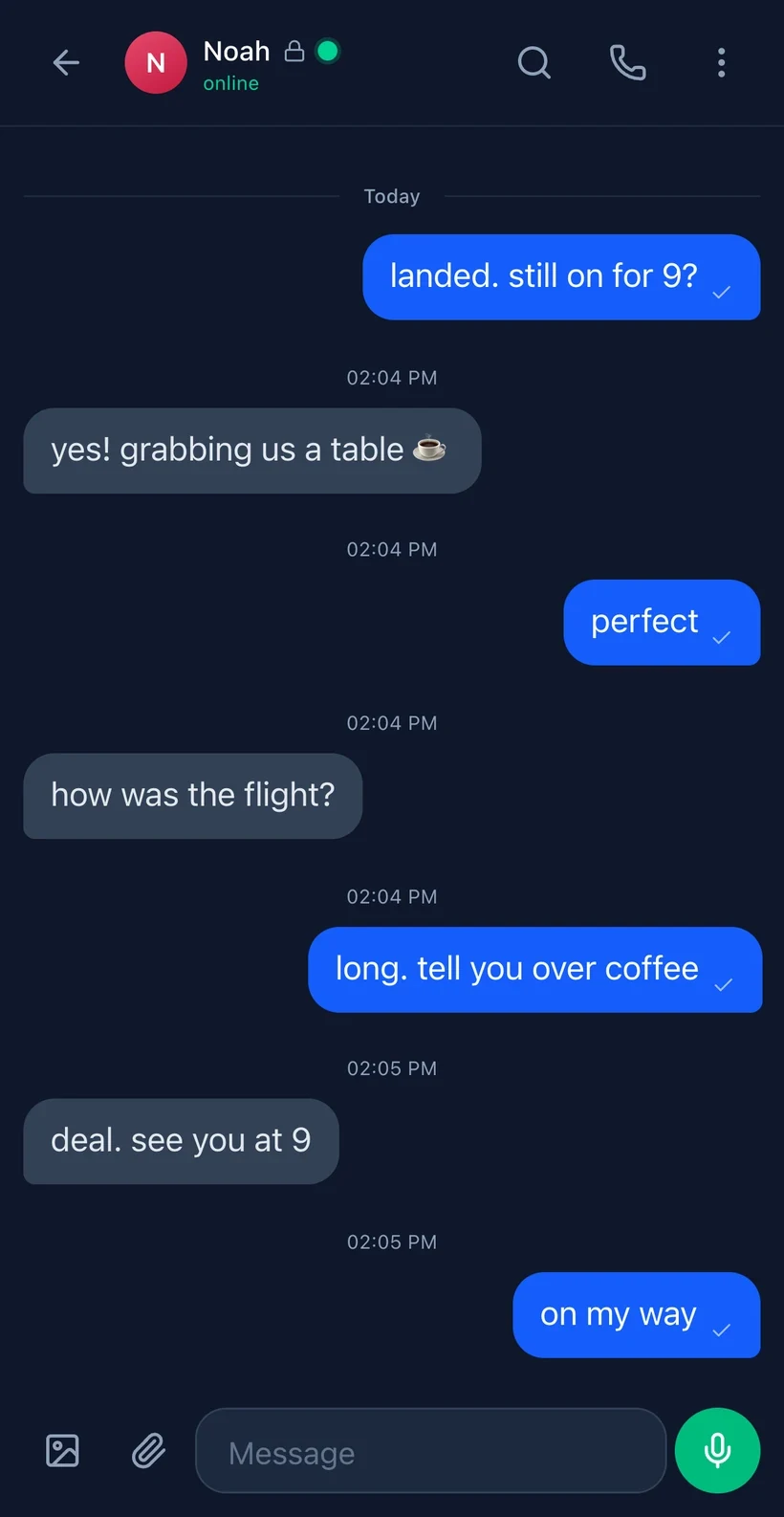
Messages, voice notes, encrypted images and WebRTC voice or video calls. Reply, react and search your conversations.


Encrypted messages, calls and groups. Open Veil in your browser and make it yours. No phone number required.
Start with a cryptographic identity. Exchange a DID or QR code, verify your contact, then message, call and share.
Messages, voice notes, encrypted images and WebRTC voice or video calls. Reply, react and search your conversations.
Invite contacts by DID. New encrypted groups are private by default; standard channels register the group name and member DIDs with the relay.
Verify contact keys and choose disappearing-message timers. Timers cannot stop a recipient from making a copy.
Start in the browser. You can add Veil to your Home Screen when you’re ready.
Exchange a contact ID or QR code. Compare safety numbers through a trusted channel.
Save your identity backup. Save message history separately if you want to carry it with you.
See backup optionsContent encryption and metadata privacy are different promises. Read both before relying on either.
Encrypted content, not your private keys. Double Ratchet message encryption and a hybrid X25519 + ML-KEM-768 key exchange protect supported sessions.
Automatic drop-box routing removes the stored sender/recipient edge for steady-state 1:1 messages between updated peers. There is no drop-box setting to enable.
IP addresses, timing and size classes remain relevant. Legacy-build peers have different routing exposure. First contact is linkable by anyone from the recipient's published keys: both ends can be recovered.
Cover traffic has its own opt-in Settings switch, independent of the privacy level. It blurs timing; it is not a mixnet or an anonymity guarantee.
Per-message keys and ratcheting limit the impact of a compromised message key. Device compromise and contact verification remain separate risks.
ML-KEM-768 + X25519 hybrid key exchange. Resistant to harvest-now-decrypt-later quantum attacks (NIST FIPS 203).
There is no setting for this. Steady-state 1:1 messages route through opaque per-pair mailboxes — no sender or recipient stored at rest, so a seized relay DB holds no who-talks-to-whom edge for updated peers. Residuals (IP/timing, legacy-build peers, and first contact, which is linkable by anyone from the recipient's published keys) are disclosed in full.
HMAC-SHA256 shared-secret auth. Neither party can prove the other sent a message — plausible deniability under duress.
Its own switch in Settings, off until you turn it on. Decoy packets and a constant send cadence blur when you are actually communicating. This makes timing correlation costly, not impossible — it is not a mixnet.
Trust-on-first-use key verification. Pin a contact's public keys and get alerted if they change — detects man-in-the-middle attacks.
Sender-key E2E group encryption — only members can read messages. Standard channels register the channel name and each member's DID with the relay; private groups — the default when you create one — leave no server-side group record at all.
Install from Safari — add to Home Screen. Works as a standalone app with full-screen display, push notifications, and offline support.
Share your cryptographic identity via QR code. No phone number, no email — just scan and connect.
Peer-to-peer WebRTC calls with STUN/TURN traversal. Mute, toggle video, see call duration. Incoming call notifications.
Record and send voice notes up to 30 seconds. Playback with speed control (1x, 1.25x, 1.5x, 2x) and waveform visualization.
Send photos with inline preview. Full-screen viewer with zoom. Images are encrypted end-to-end like all other messages.
React to any message with quick emoji (👍 ❤️ 😂 😮 😢 🔥). Reactions sync in real-time and show counts.
Reply to specific messages with quoted preview. Keeps conversation threads clear even in fast-moving chats.
Set messages to auto-delete after 5 minutes, 1 hour, 24 hours, or 7 days. Per-conversation timer.
See when messages are sent (✓), delivered (✓✓), and read (✓✓ blue). Know your message got through.
See when the other person is typing. Real-time animated dots so conversations flow naturally.
Full-text search across all conversations. Results show contact name, date, and highlighted match with context.
Forward any message to another contact. Search and select from your contact list — the message is re-encrypted for the new recipient.
Tap a link to load a text preview (title and description, no images). The tap sends the link and your IP to microlink.io, whose servers then load the page, so the site sees microlink, not you. microlink can also see the request comes from Veil. Nothing loads until you tap, and previews are off on the .onion address.
See when contacts are online, idle, or offline. Last-seen timestamps update automatically via shared polling.
Groups use sender-key encryption and admin-signed, fork-rejecting membership rosters. The app also supports contact blocking, key rotation, preferences, notifications where supported, and encrypted offline queues. Built on Voidly Relay.
Another path in
Alongside the web address, Veil provides a Tor onion service for the app and its message rail. Tor Browser can offer that route from the normal address when available.
A publish gate requires a byte-identical client build, or an honest holding page, rather than a silently different client.
The limit: this is not anonymity and does not survive an API outage. The onion host still reaches the API over the clearnet. It addresses blocking of your path, not every failure behind it.
There is no password-reset shortcut for a lost cryptographic identity. Back up before you need to recover.
A passphrase-encrypted export restores keys and identity. It does not restore message history.
A separate passphrase-encrypted .veilhist export carries chat history across devices. The relay cannot re-serve old history.
Display name, theme and preferences only. Not messages. A forgotten backup passphrase cannot be reset.
Veil is a web app. Keep it beside the other apps on your phone, or open it in your desktop browser.
Installed-web-app notifications require iOS 16.4+ and browser support.
This is not a native App Store app. Installation prompts and notification support depend on the browser.
Open VeilInstallation, recovery and the details worth understanding.
Open msg.voidly.ai in Safari, tap the Share button (square with arrow), then tap "Add to Home Screen". The app will appear on your Home Screen like a native app — full screen, no browser chrome, with its own icon.
The App Store requires Apple review, which can delay updates and restrict features. As a Progressive Web App (PWA), Veil updates instantly, works offline, and gives you the same experience without gatekeepers. iOS 16.4+ supports push notifications, standalone display, and all the Web APIs we need.
Yes. Every message is encrypted on your device before it leaves. The relay server only sees ciphertext it cannot read. We use Double Ratchet (same algorithm as Signal) for forward secrecy — if a key is compromised, past and future messages stay encrypted. On top of that, ML-KEM-768 post-quantum protection guards against future quantum computers.
ML-KEM-768 (NIST FIPS 203) is a new encryption standard designed to resist quantum computer attacks. Veil uses a hybrid approach: classical X25519 + post-quantum ML-KEM-768. Both must be broken simultaneously to compromise a session. This protects against "harvest now, decrypt later" attacks where someone records your encrypted traffic today hoping to crack it with a future quantum computer.
No — not the content. Private keys are generated and stored locally on your device in IndexedDB, and the relay only ever holds ciphertext it cannot decrypt. Message metadata is a separate question: the relay does see timing, message size class, and (on the legacy 1:1 rail and for standard channels) some routing information. We publish exactly what the relay can and cannot see at msg.voidly.ai/security/metadata-privacy — we would rather disclose than overclaim.
Calls use WebRTC for direct peer-to-peer connections. Call signaling (connecting you to the other person) goes through the encrypted relay, but the actual audio/video stream flows directly between devices. STUN/TURN servers handle NAT traversal so calls work even behind firewalls.
You can set messages to auto-delete after 5 minutes, 1 hour, 24 hours, or 7 days. The app removes expired messages, but a timer cannot prevent a recipient from saving a copy or taking a screenshot. This is set per-conversation, so you can have some chats permanent and others ephemeral.
Yes. While designed primarily for iPhone (where App Store alternatives are limited), Veil works on any modern browser. On Android, Chrome will prompt you to install it as a PWA. On desktop, it works in any browser as a regular web app.
Each user gets a unique did:voidly: identity derived from their cryptographic keys. Share your DID via QR code (scan in person), copy-paste it, or search the directory by name. There is no phone number or email required — your identity is purely cryptographic.
It depends on which backups you exported first. Your identity backup (passphrase-encrypted, from Settings) restores your keys and identity on a new device — but NOT your message history. Message history is encrypted and device-local; the relay cannot re-serve it, so it is lost on a wipe or reinstall unless you separately exported a passphrase-encrypted history backup (.veilhist). Cloud settings sync only covers display name, theme, and preferences — not messages. Without any backup, you would need to create a new identity, and a forgotten backup passphrase means permanent loss (there is no reset).
Deniable auth uses HMAC-SHA256 instead of Ed25519 signatures. Both parties in a conversation can produce the same MAC, meaning neither can cryptographically prove the other sent a specific message. This provides plausible deniability — critical for people in adversarial regimes where proving authorship could be dangerous.
When you enable its separate cover-traffic switch in Settings, Veil sends periodic decoy packets and a constant send cadence so a network observer has a harder time telling when you are actually communicating versus generating noise. It is an honest mitigation, not a mixnet: it makes timing correlation costly, not impossible. A global adversary watching all network egress can still correlate by IP and timing over time — for the strongest hiding, also use Tor or a VPN.